Travel · YouTrip Australia
Using YouTrip in China: Alipay, WeChat Pay and Everyday Payments
By CheapyOZ · Published 23 September 2026
I used my Australian YouTrip card during a trip to China in August 2026. It worked with both Alipay and WeChat Pay, and I also used contactless payments where they were accepted. Being able to spend from my Australian dollar balance and immediately see the AUD cost was particularly useful. The main frustration? Some very small payments still needed an extra approval in the YouTrip app.
Alipay and WeChat Pay both worked for me
I was able to use YouTrip with both payment apps during my trip. Having both available gave me more flexibility when paying.
This is my personal experience, rather than a guarantee that every merchant or transaction will work. A linked international card does not necessarily support every function within either app.
Before travelling, I would set up both apps, complete any identity checks requested and add the card. I would also keep another payment option ready.
Contactless payments were convenient where available
I found tap-and-pay convenient where merchants accepted it. However, I would not rely on contactless card payments alone for China. My preferred setup is YouTrip linked to Alipay and WeChat Pay, plus the physical card and a backup card.
I kept my balance in AUD
I did not manually exchange money inside YouTrip before making purchases. I kept my balance in Australian dollars and let YouTrip handle the conversion.
That is different from asking a merchant to charge the transaction in AUD. For purchases in China, I would choose the local currency, CNY, so the merchant or terminal does not choose the conversion rate.
YouTrip supports CNY spending with no YouTrip FX fee. Its Australian help centre says currencies outside its wallet currencies use the Mastercard wholesale rate when the transaction settles. The final rate may therefore differ from the rate displayed when making the purchase, or from a Google search.
Can you lock in the CNY exchange rate?
YouTrip lets you exchange and hold selected wallet currencies in advance, but CNY is not currently one of the Australian account’s 10 wallet currencies. You can spend in Chinese yuan, but cannot currently pre-convert into a CNY wallet to lock in that rate. Keeping my funds in AUD suited how I used the card.
Instant AUD notifications made spending easier
After payments, I received app notifications showing what I had spent in Australian dollars. Instead of mentally converting every price, I could quickly understand the cost and keep track of my spending. This was one of my favourite features.
The annoying part: approvals for small payments
Sometimes I had to approve a payment in the YouTrip app even when the amount was tiny. Switching between apps occasionally slowed down checkout.
I appreciated the extra security, but it was still inconvenient when I wanted to pay quickly. Keep your phone charged, make sure you have working mobile data and be ready to open YouTrip during checkout.
No YouTrip FX fee does not mean every payment is fee-free
Alipay or WeChat Pay can charge their own international-card service fees, separately from YouTrip. YouTrip’s China guidance describes a 3% platform fee for transactions above CNY200. Check the amount displayed before confirming, as rules and temporary waivers can change.
A good exchange rate is useful, but platform fees also affect the final cost.
YouTrip’s China platform-fee guidance (Singapore guide; Australian account features are checked separately above.)
Why I brought Macquarie as backup
I took my Macquarie card in case YouTrip did not work, or I needed more cash after reaching YouTrip’s fee-free overseas withdrawal allowance.
YouTrip currently advertises no withdrawal fee of its own on the first A$1,500 equivalent withdrawn overseas each calendar month. The ATM operator can still charge separately.
Read recent Google Maps reviews when looking for an ATM. They can help identify machines travellers have successfully used, although the fee shown on the ATM screen is what matters. Compare the total cost instead of assuming every ATM is cheaper than every exchange counter.
My A$40 cashback result
My August cashback notification showed A$40 received following my China and Malaysia travels. This represents cashback across that travel period, rather than a China-only breakdown.
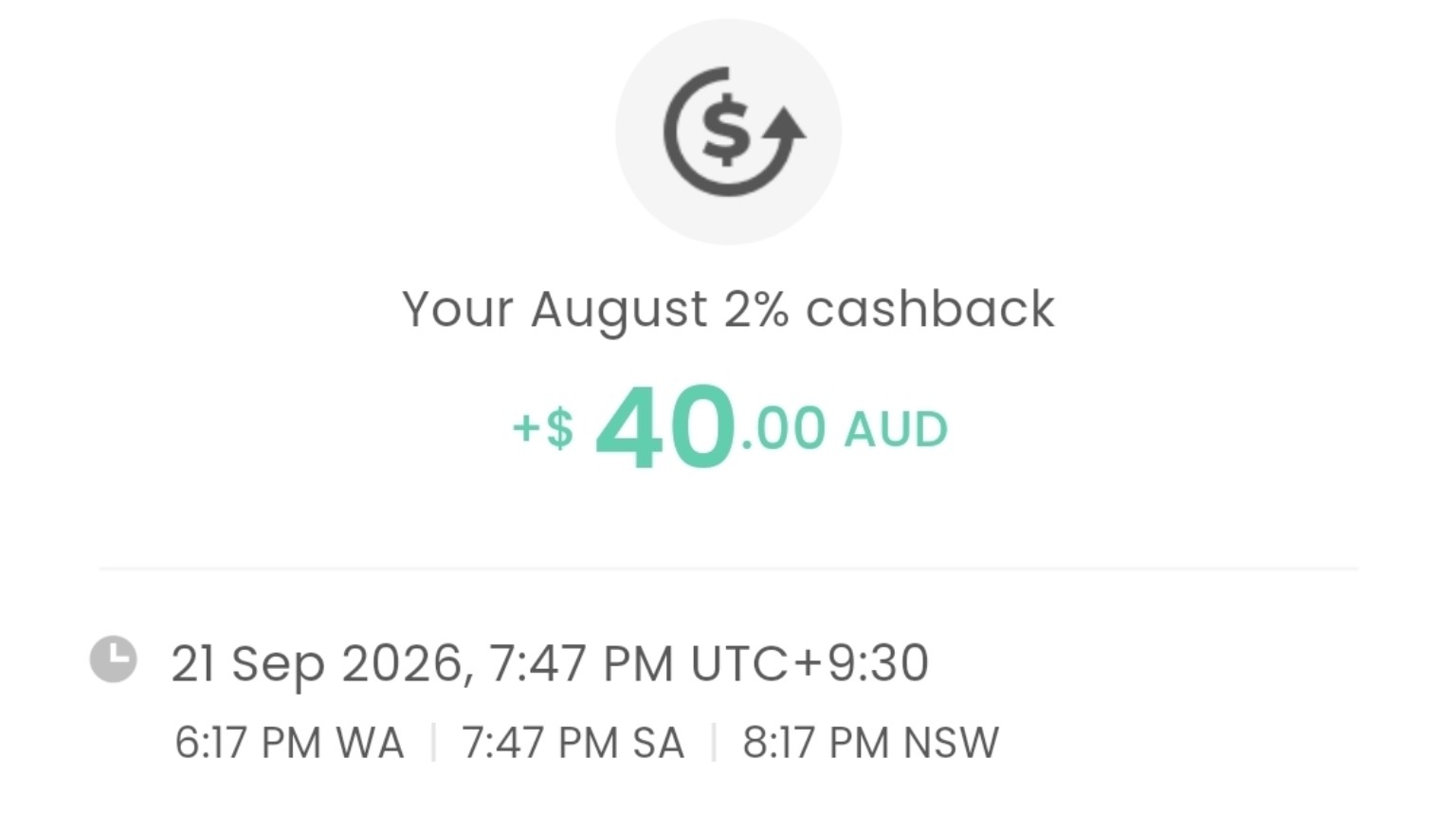
It was a useful bonus on spending I was already doing, but reflected the promotion attached to my account. The published campaign required account approval by 31 August 2026; new applicants should not assume the same offer applies.
Would I use YouTrip in China again?
Yes. It worked well for my trip, particularly through Alipay and WeChat Pay. The immediate AUD notifications made spending easier to follow. Extra approvals were occasionally frustrating, but did not put me off.
I would take the same approach again: prepare the payment apps before departure, keep reliable mobile data, check checkout fees and carry a backup card.
Get future CheapyOZ travel-money updates
Subscribe for occasional YouTrip, cashback and referral updates. You can unsubscribe any time.